Safety checklists, RAMS and SPA
Who this is for: managers, supervisors, safety administrators and fleet managers.
What you will learn: how RAMS, SPA, start/end of day and vehicle checks control whether work can start, how to review them, and what to do when conditions change or a vehicle fails its walk-around.
Where to find it
Open Jobs → Safety checklists for the safety dashboard. It shows recent RAMS/SPA, start/end of day and vehicle records, open vehicle defects and open significant changes. Select View beside a record to see a rendered answer view, including the risk matrix and signatures.
The mobile apps and the API use the same records. PWA and Android both have the RAMS/SPA renderer, offline drafts and worker briefing signatures. The older Checklist records page still shows lifecycle start/end of shift and visit checks.
The six types
| Type | Purpose | Gate |
|---|---|---|
| Start of day | Fitness, PPE, vehicle, route, tools and today’s hazards | Day start, if enabled |
| End of day | Area safe, tools stowed, permits closed, vehicle secured | Day end, if enabled |
| Vehicle | Daily pre-use walk-around | Fleet / assignment |
| RAMS | Task risk assessment and method statement | Job start |
| SPA | Short daily on-site briefing tied to the RAMS | Job start |
| Job | Ordinary per-task checklist | None |
Day gates are a tenant setting. When they are on, a worker must complete the start-of-day check for their local day before accepting or starting work.
Adapt a template
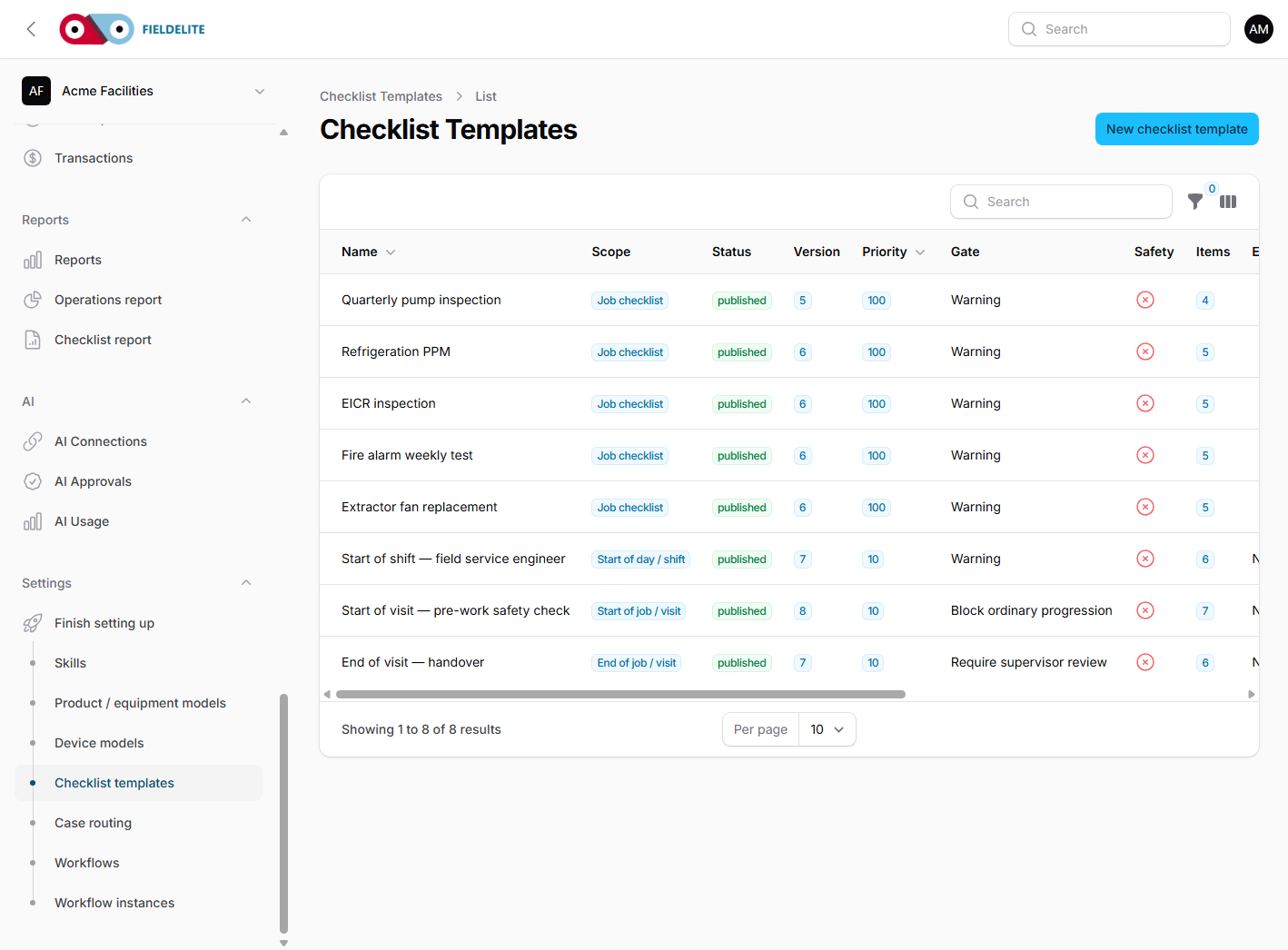
- Open Settings → Safety templates (the legacy lifecycle templates remain under Checklist templates).
- Find the system RAMS, SPA, start/end of day or vehicle template.
- Copy it to the tenant. System templates are read-only.
- Tailor the sections, hazards, controls, signatures and emergency arrangements to the actual site, task, equipment and crew.
- Have a competent person review the wording.
- Publish the tenant copy.
Do not treat a template as a certified assessment. A generic RAMS needs a site-specific review before anyone uses it.
Read a RAMS/SPA record
- Open Jobs → Safety checklists.
- Select View on the record.
- Check the template name, job, worker, status and next review date.
- Read the answers and the risk matrix. Initial risk is before controls; residual risk is after controls.
- Check every required signature, including the worker briefing.
- Check for an open significant change.
Risk bands are 1–6 low, 7–14 medium, 15–25 high. A high initial score is fine if the controls bring it down and the method is safe.
Start/end-of-day and vehicle checks
Start/end-of-day records belong to the worker and the local date. They are not job records. Vehicle records belong to the vehicle.
A failed vehicle item with a block or escalate action:
- creates a vehicle defect linked to the checklist item;
- takes the vehicle out of service;
- notifies the fleet manager;
- blocks new work for any worker assigned to that vehicle.
To resolve the defect, a supervisor records a resolution note, at least one photograph and a signature. The vehicle only returns to active when no other open defect remains. The original failed answer stays in the record.
Copy from customer
For repeat work at the same customer, copy a completed checklist to the new job. The copy keeps the template and customer context but clears job-specific answers and every signature. The copy is marked requires review, so nobody can sign it off until a competent person has looked at it.
Significant change
Any worker on site can raise a significant change. The job is held and the supervisor is notified. Work cannot restart until the RAMS is amended, reviewed and every briefed worker signs the new version.
Review and evidence
- Incomplete records can be approved or sent back for correction.
- Completed records are locked. If one needs changing, create a revision.
- Every action is in Settings → Activity log.
- Use the checklist PDF when you need the signed copy with answers and signatures.
Troubleshooting
| Symptom | Check |
|---|---|
| Job will not start | Mandatory RAMS/SPA missing, incomplete, unsigned or blocked by a change flag |
| Worker cannot accept work | Start-of-day gate or an outstanding vehicle defect |
| Copy cannot be signed off | The copy still requires review |
| Signature missing | Required role or named worker briefing not signed |
| Vehicle still out of service | Resolution needs note, photo and supervisor signature |
Check your understanding
- What is the difference between a RAMS and an SPA?
- Which gate stops a job from starting?
- What three pieces of evidence return a vehicle to service?
- Why is a copied RAMS blocked until review?
- What does a significant-change flag block?
Related: Lifecycle checklists, alerts and reports · Checklists, forms and evidence · Field: safety checklists and RAMS
Related articles
Who this is for: everyone in the office workspace. What you will learn: where the help centre lives, how to search it, and how to get from a screen to the right article. Open the h...
Who this is for: office administrators, dispatchers, managers and finance users. What you will learn: how to sign in to the right workspace, find your way around, and set up your p...
Who this is for: office administrators, dispatchers and managers. What you will learn: how FieldElite models a customer, its sites and the people on site — and how to give a custom...
Who this is for: office administrators, dispatchers, managers and supervisors. What you will learn: how to raise a job, assign it, move it through the status workflow, and close it...