Feature
Customer self-service that still leaves the office in control
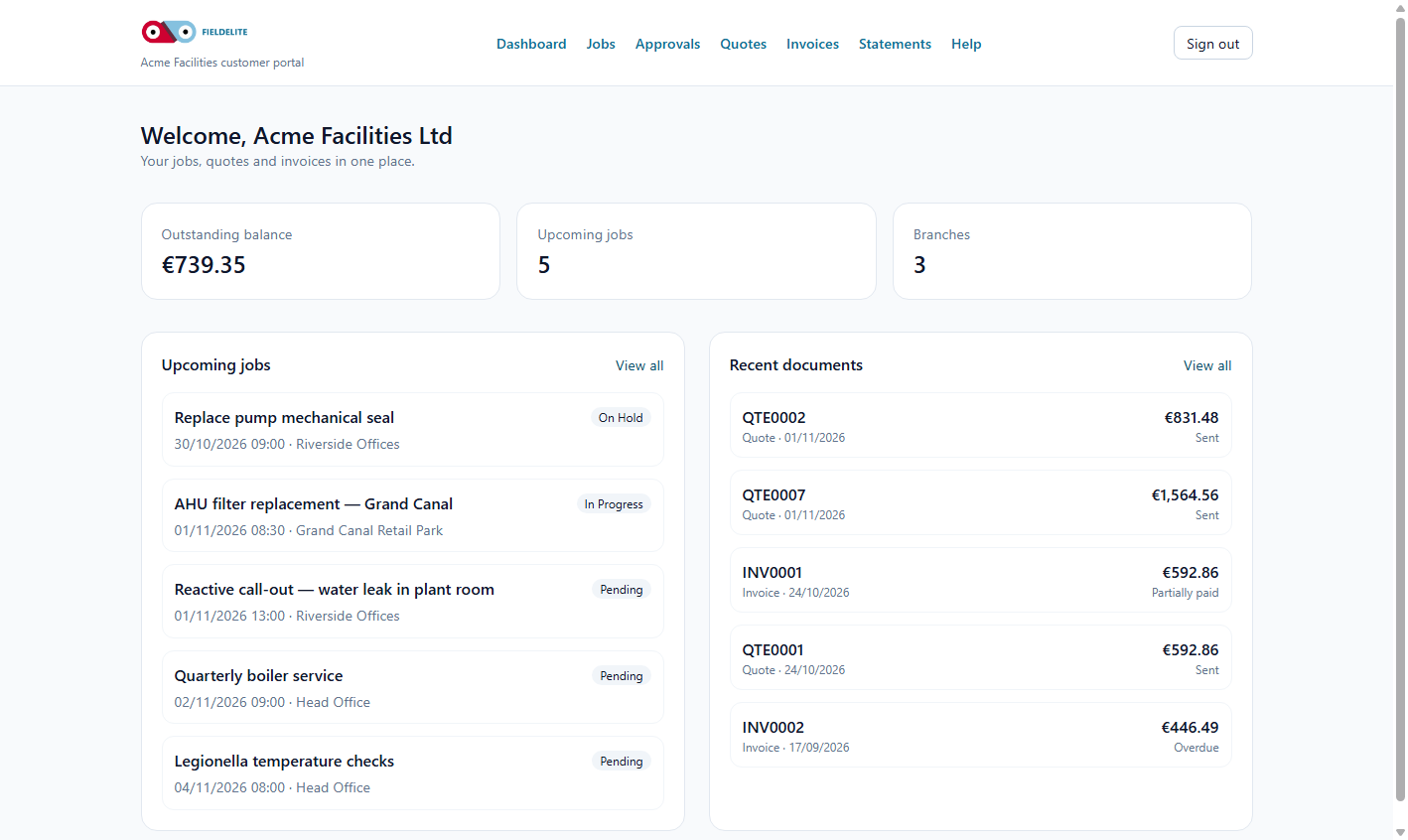
A request is not a confirmed booking. The customer asks, the office triages, and the job is created when it is really accepted.
The problem
Every request starts as a phone call. The office writes it down, asks for a photo by email and promises to call back. The customer cannot see what is happening and the office cannot prove what was agreed.
What you get
Service requests
Customers submit the request, describe the problem and attach photos or a PDF from their phone.
Capacity-aware preferred slots
Show realistic morning or afternoon options based on office hours and existing work. The choice is a request, not a booking.
Office triage
Managers move the request to triage and convert it into a job or an assistance case with one action.
Card payment handoff
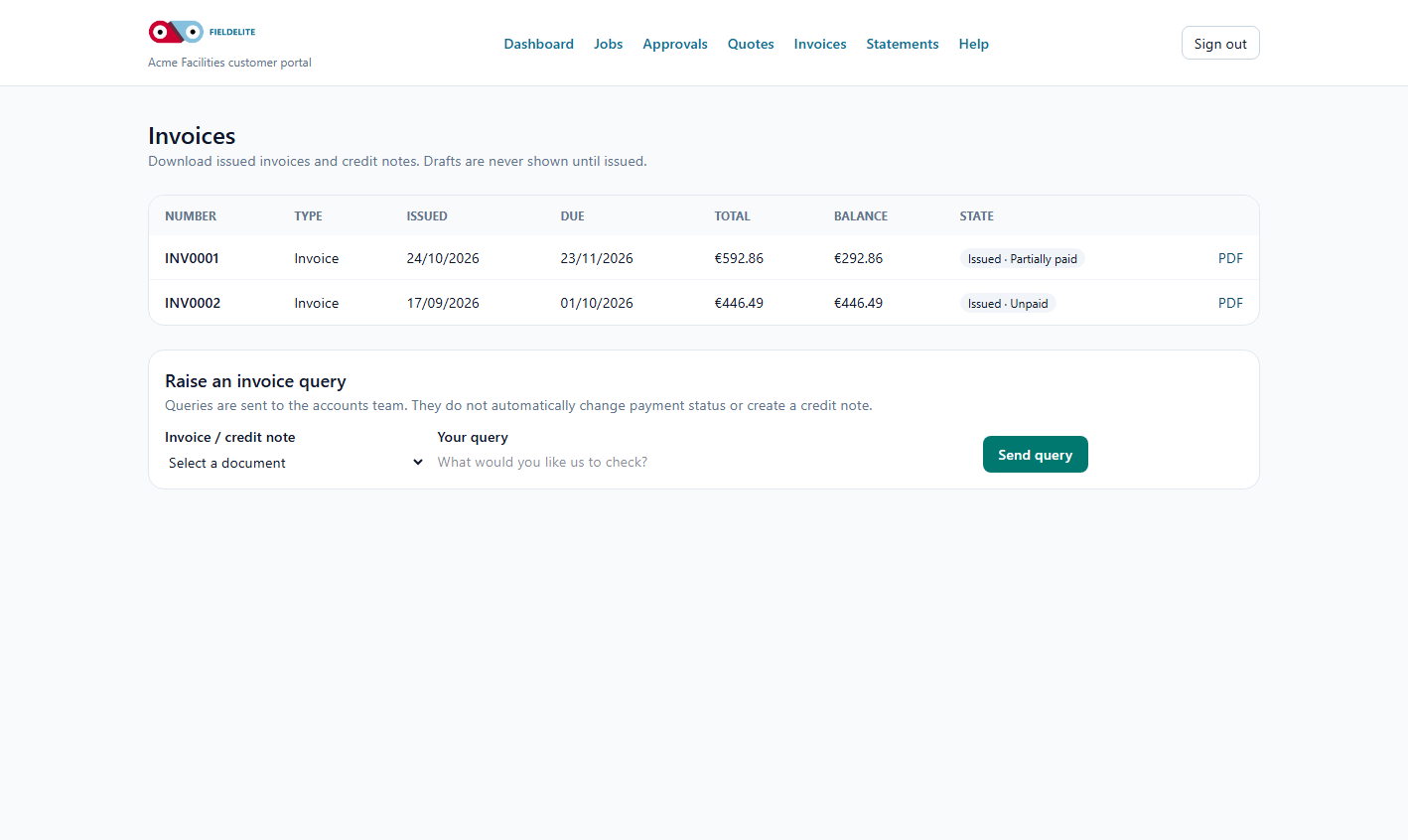
When Stripe is enabled, the customer can pay an outstanding invoice from the portal.
Feedback and follow-up
Customers rate the completed request. A low score raises a follow-up for the office instead of disappearing.
One customer view
Jobs, quotes, invoices, statements and published contracts sit in the same signed-in portal.
How it works
The customer asks
They choose a category, attach evidence and optionally pick a preferred slot.
The office decides
The request appears in the office queue. Nothing is promised until a manager triages and converts it.
The job runs
The converted job uses the same customer, site, contract and safety records as any other job.
The customer pays
Issued invoices can be paid by card where configured, and the invoice updates only after the provider confirms settlement.
Works with
Questions about this feature
Does a requested slot confirm the appointment?
No. It records the customer's preference. The office must triage the request and create the job.
Does a browser redirect mark the invoice paid?
No. Card payments settle only from a verified payment-provider webhook.
Can customers see other customers?
No. Every portal query is scoped to the signed-in customer and their own sites and documents.
Can we use the portal without card payments?
Yes. Card payments are optional and can be left disabled while the rest of the portal is used.
See the portal from the customer's side
We will submit a request, triage it and show the invoice and contract views in one walkthrough.
Book a walkthroughKeep reading
Help articles for this feature
From the blog
A job loses context every time it changes hands. Here is how one connected record covers the customer, the site, the engineer, the evidence and the invoice — with a walk through the FieldElite demo workspace.
Most of the expense admin is not the approval. It is finding the receipt, reading it and retyping the same totals. OCR removes the retyping, but only if a person still checks the result.
A leak at a managed site becomes a scheduled job, a signed RAMS, photo evidence, an OCR receipt and a paid invoice.