Statements and documents
Who this is for: customer portal users with billing access.
What you will learn: how to read a statement and find the documents attached to your account.
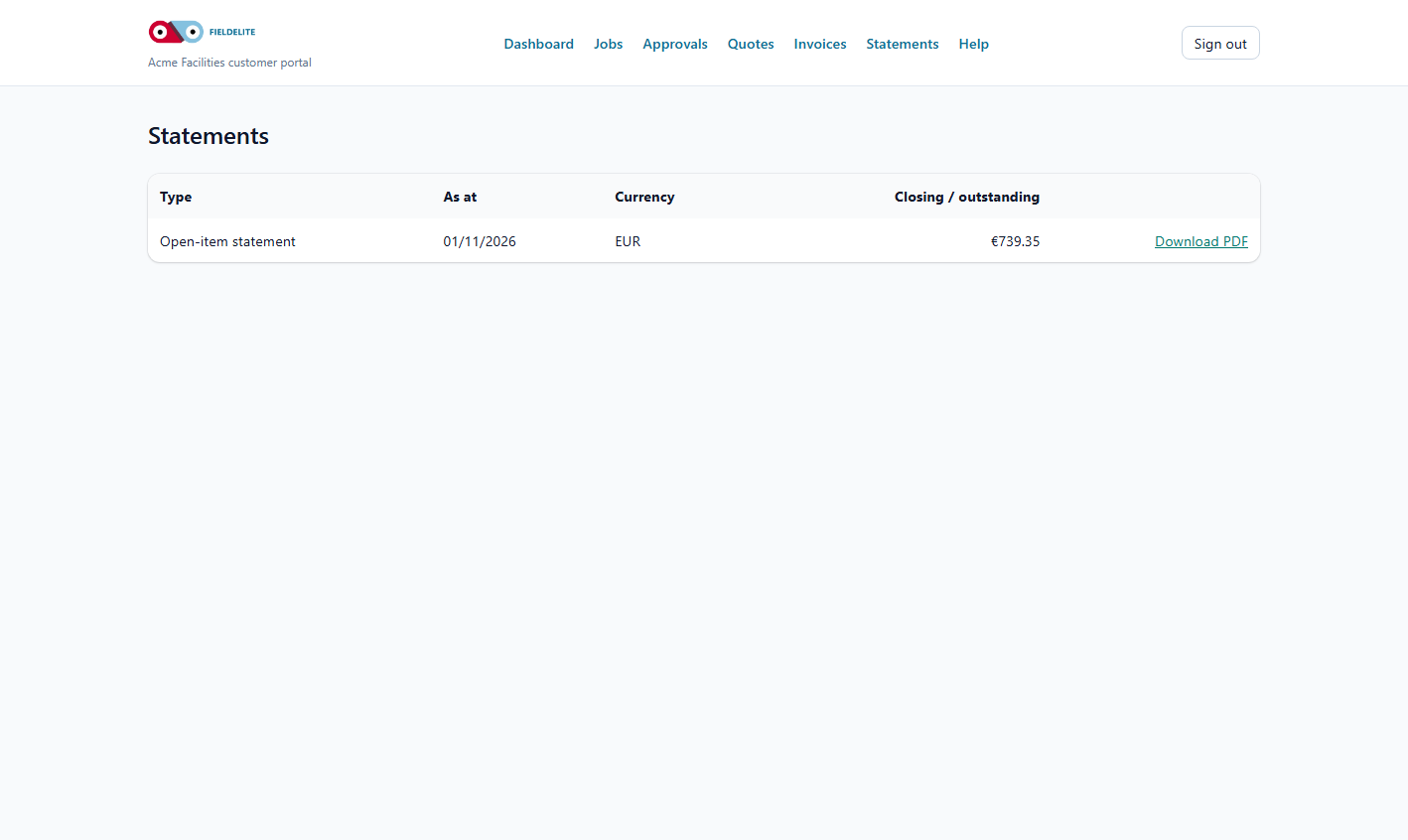
What a statement is
A statement summarises your account over a period. It is not an invoice and it does not replace one.
| Type | Shows |
|---|---|
| Open-item statement | Every unpaid invoice and its balance |
| Activity statement | Invoices, payments and credits in a period |
Read an open-item statement
- Select Statements.
- Open the latest statement.
- Check:
- the statement date
- the opening balance
- each invoice and its balance
- payments and credits
- the closing balance
- Download the PDF.
Reconcile before you pay
- Match each invoice on the statement to your records.
- Mark invoices you have already paid.
- Check payments that may still be clearing.
- Query anything that does not match.
- Pay the reconciled total, not the statement total, if there is a genuine dispute.
Service contracts
The Contracts page lists your service contracts with the provider:
- contract reference, effective dates and renewal status
- covered service lines and commercial treatment
- covered sites, assets and explicit exclusions
- authorized contacts for approvals or contract changes
- customer-facing terms
It does not show internal provider notes, other customers' coverage, costs or margins. If a contract is missing or a covered site looks wrong, raise it with your account contact.
Documents
Depending on what your provider publishes, the portal may include:
- invoices and credit notes
- quotes
- statements
- service reports
- certificates and compliance documents
Use the PDF download. Do not screenshot a document for your audit file if a PDF is available.
Access
Statements and invoices require billing access on your portal account. If you cannot see them, your provider can enable it. Quotes and jobs may still be visible without billing access.
Tips
- Tip: Download statements monthly and file them with your accounts records.
- Tip: Use the statement date when discussing a balance with your provider.
- Warning: A statement is a snapshot. A payment made after the statement date will not appear on it.
Check your understanding
- What is the difference between an open-item and an activity statement?
- What should you do before paying a statement?
- Why might statements be hidden?
Related: Invoices and payments · Account and support
Related articles
Who this is for: customer contacts with portal access. What you will learn: how to sign in, reset a password and keep your account secure. Before you start The portal address fro...
Who this is for: customer portal users. What you will learn: what the dashboard shows and where to go next. What you see Tile or section Meaning Outstanding balance Total u...
Who this is for: customer portal users. What you will learn: how to track jobs and download the service report. Find a job Select Jobs. The list is ordered by scheduled date, new...
Who this is for: customer portal users who approve work. What you will learn: how to review a quote, accept it, decline it and understand what happens next. Review a quote Select...